PelPro PP130 Blinking Lights & Codes, Decoded
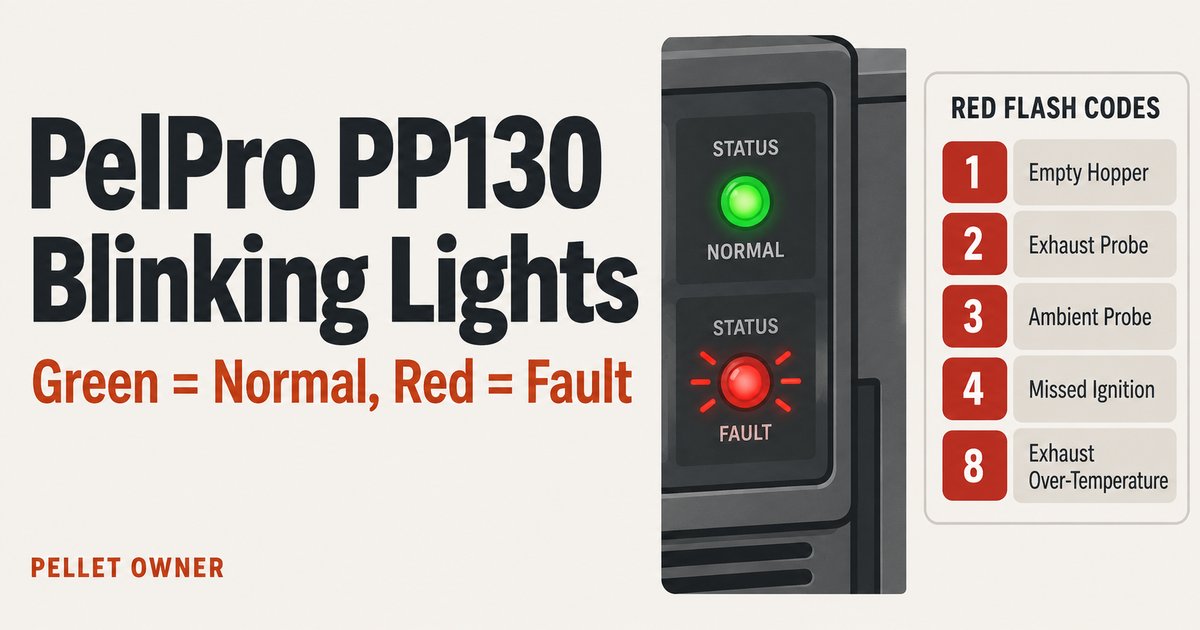
If you own a PelPro PP130, you already know it: it’s a big, cheap, heat-the-whole- house stove with a following of owners and almost nobody explaining it. Search the blinking-light question and you get fragmented forum threads, a wall of one-scenario JustAnswer paywalls, and the raw manual PDF nobody wants to read. Worse, the forums have muddied the water with a “green-4 vs red-4” myth that isn’t in the manual at all.
So here’s the clean version. Every color and flash the PP130’s status light shows, what each one means, and — for the code people actually panic over, missed ignition — the checklist of what’s really wrong. All of it read line by line out of the PelPro PP130 manual (ref. 8390-900C), not scraped off a forum.
How the PP130’s light actually works
The single status light does two different jobs at once, and that’s the whole source of the confusion. The color tells you the state. The number of flashes is a code — but only when the light is red.
Here’s the part most owners get backwards: green and amber blinking are normal. They are the stove talking to you during ordinary operation, not fault codes. Per the manual:
- Green, steady — the feed system is priming.
- Green, one blink — the stove is off and ready.
- Green, blinking continuously — the startup / ignition sequence is running.
- Green, a variable number of blinks — this is your burn rate. The count changes with the setting. It is not an error code.
- Amber, steady — running at minimum or maximum.
- Amber, blinking continuously — the shutdown sequence is running.
Only red blinks are error codes. That’s the single most useful thing to know about this stove. If the light is green or amber, the PP130 thinks it’s fine — even when it’s blinking. The number of green blinks tracking your burn rate is exactly what sends people to the forums convinced they’ve got a “4-blink fault,” and it’s why the “green-4” code you’ll read about online doesn’t exist. Count the color first, then the flashes.
The full LED / flash-code table
This is the whole chart, transcribed from the manual. Green and amber are states; red is the only column that means “go troubleshoot something.”
| Light | Meaning (per the manual) |
|---|---|
| Green, steady | Feed system priming |
| Green, 1 blink | Stove off and ready |
| Green, continuous blink | Startup / ignition sequence |
| Green, variable blinks | Current burn rate (normal) |
| Amber, steady | Running at min or max |
| Amber, continuous blink | Shutdown sequence |
| Red, 1 flash | Empty Hopper / End of Feed |
| Red, 2 flashes | Exhaust probe alarm |
| Red, 3 flashes | Ambient probe alarm |
| Red, 4 flashes | Missed ignition |
| Red, 8 flashes | Exhaust over-temperature |
A quick word on each red code, because the header alone doesn’t tell the whole story:
- Red 1 — Empty Hopper / End of Feed. Don’t take the name too literally. The manual labels it “Empty Hopper / End of Feed,” but the real meaning is no fuel reaching or sustaining the fire. In likelihood order the causes are: an empty hopper (most common), an auger jam, loss of vacuum, or the hopper lid left open — plus the case where there is a flame but the exhaust probe never reads enough heat. So: refill, then inspect the feed tube for jams, check the venting and firebox for blockages, confirm the exhaust blower runs, and make sure the lid is shut.
- Red 2 — Exhaust probe alarm. The probe isn’t seated on the exhaust outlet, the exhaust path is dirty, the probe isn’t plugged in, or it’s failed. Clean the exhaust outlet / firebox / fire pot / baffles, confirm the probe is seated, plug it in, replace if needed.
- Red 3 — Ambient probe alarm. The ambient probe isn’t plugged in or has failed. Plug it in (it needs at least 2” exposed outside the stove body) or replace it.
- Red 4 — Missed ignition. The stove tried to light and didn’t. Its own checklist is below.
- Red 8 — Exhaust over-temperature. Covered in its own section further down, because it involves a hardware reset.
Everything in that table comes from the PP130 manual. If a code isn’t listed here, the manual doesn’t document it — so I’m not going to invent one.
Green blinking vs a red fault — don’t confuse them
This deserves its own flag because it’s the number-one reason PP130 owners think they have a problem when they don’t.
You’ll see the stove sitting there blinking green. You count the blinks. You go online, find someone talking about “4 blinks,” and now you’re convinced you’ve got a fault. Stop and check the color.
Green blinking = normal. A variable number of green blinks is the PP130 reporting its burn rate — the count changes with your setting. That’s the stove working.
Red blinking = a fault code. Only red flashes map to the error table above.
So a green four-count is just your burn rate; a red four-count is missed ignition — a real problem. Same number, completely different meaning, and the difference is the color, not the count. The “green-4 vs red-4” comparison you’ll find on JustAnswer and in forum threads mixes these up and sends people chasing a fault that was never there. The manual is unambiguous: green and amber are operating states, red is the only fault color.
Red 4 / missed ignition: the cause checklist
Missed ignition is the code owners actually search for, so here’s the useful detail first: the PP130 retries once on its own. From the first failed attempt it automatically tries a second time before it gives up and settles into the missed- ignition alarm. So a single Red 4 means it tried twice and neither took.
Before any cleaning or checks, turn the dial to OFF and let the stove go completely cold with the exhaust blower stopped — only then unplug it. PelPro’s manual says to disconnect the stove from power before servicing, lists fire pot cleaning as “stove must be turned off and cold,” and warns that unplugging a stove that isn’t cool can spill smoke into the room.
Once it’s alarmed, the manual lists three causes: fuel, the fire pot, and the igniter. It doesn’t rank them; working them in this order simply goes from the easiest check to the most involved:
- No fuel reaching the pot. Empty hopper, a feed-tube jam, the feed auger not turning, or the feed motor disconnected or failed. Refill, clear any jam in the feed tube, and check the feed-motor circuit the way the manual describes it: the feed motor only runs with the hopper lid closed, the vacuum switch closed (exhaust blower running), and the motor plugged in — check its connector with the stove unplugged. If the auger still won’t move fuel, that’s the deeper issue behind a missed ignition — see pellet stove auger not feeding and the vacuum switch guide, since a lost vacuum signal stops the feed.
- A dirty fire pot. In the manual’s words, a dirty pot keeps fuel away from the ignition hole. Clean the fire pot.
- The igniter. Either it’s getting no power, or debris in the end of the igniter chamber is blocking its heat. The manual’s fixes: check the leads, and clean the end of the igniter chamber from inside the firebox — which means removing the fire pot first. Whether the igniter itself still heats is an electrical test for your dealer or a technician.
If you’ve refilled, cleared the feed path, cleaned the pot, and the igniter still won’t light a fresh charge, the broader diagnosis — from fuel quality to the ignition sequence itself — is in why your pellet stove won’t ignite.
If you do land on the igniter, the PP130-C manual lists igniter kit SRV7000-660, and it has to sit centered in its chamber to work — match it to your model before ordering.
Over-temp shutdowns (Red 8)
Red 8 is exhaust over-temperature, and it’s the one code that can involve a hardware reset, so handle it carefully. Per the manual the causes are: the feed motor stuck ON (dumping too much fuel), non-approved fuel, or a dirty convection blower that can’t move heat away.
Start by checking the feed rate — normal is roughly 1–4 seconds of feed out of every 7. If the feed motor never stops, that points at the control board (replace it). Otherwise check that you’re burning approved fuel, and clean or replace the convection blower.
There’s also a snap disc on the feed tube tied to over-temperature protection. It sits on the top face of the feed tube and has a manual reset — a red button on its back you press to reset it (part SRV230-0080). If you’re going in to reset or replace it, the stove must be shut down from its controls, completely cold, and unplugged first. Anything past a manual reset or a like-for-like part swap — and certainly any exhaust or venting work — is a certified NFI technician’s job, not a DIY one. This is the exhaust side of the machine, and it’s the part where a shortcut vents combustion gas into your house. If your PP130 keeps tripping out on temperature, the broader pattern is worth reading in why a pellet stove keeps shutting off.
For the record, I work from the manuals; I’m not an NFI-certified tech — the calls above about where DIY stops are exactly that, calls about safety.
How to reset the PP130
Good news here: the reset is simple, and the PP130 manual lists two ways to do it. After you’ve corrected whatever alarm tripped:
- Turn the dial to OFF, wait 10 seconds, and return it to your setting. This is the one to use whenever the stove is warm.
- Unplug the stove, wait 10 seconds, and plug it back in — but only once the stove has completely cooled and the exhaust blower has stopped. The same manual says to unplug only after it’s cool with the exhaust blower off, and warns that smoke can spill if you unplug a stove that isn’t cool yet.
That second option is worth calling out, because it’s not universal. Some stoves explicitly forbid the unplug reset — Englander’s manuals, for instance, tell you not to reset by pulling the plug. On the PP130 it’s allowed, as long as the stove is cold and the exhaust blower has stopped. Either way, fix the underlying cause first; resetting a stove that still has an empty hopper or a jammed auger just gets you the same code again.
FAQ
What does a blinking red light mean on a PelPro PP130? Red is the only fault color on the PP130 — green and amber blinking are normal operating states. A red light is an error code, and you read the fault by counting the red flashes: 1 = empty hopper / end of feed, 2 = exhaust probe, 3 = ambient probe, 4 = missed ignition, 8 = exhaust over-temperature.
What does 4 blinks mean on a PP130? It depends entirely on the color. Four green blinks is just the stove reporting its burn rate — that’s normal. Four red blinks is missed ignition: the stove tried to light (it retries once automatically) and failed. Check the fuel/feed path first, then the fire pot, then the igniter.
Why is my PelPro PP130 not igniting? A red 4-flash means missed ignition. The manual lists three causes: no fuel reaching the pot (empty hopper, feed jam, auger not turning, feed motor disconnected), a dirty fire pot, or an igniter with no power or debris blocking it. Check them with the stove off and cold, fuel first; the full walk-through is in pellet stove won’t ignite.
What does the green light blinking mean? Normal operation. Steady green is priming, one blink is off-and-ready, continuous blinking is the startup/ignition sequence, and a variable number of green blinks is your current burn rate. None of these are faults — only red blinks are.
How do I reset my PelPro PP130? After fixing the cause, turn the dial to OFF, wait 10 seconds, and return it to your setting. The manual also allows unplugging for 10 seconds, but only once the stove is completely cool and the exhaust blower has stopped — unplugging a warm stove can spill smoke. (Englander, by contrast, forbids the unplug reset.)
Why does my PelPro shut down on the low setting? On low, fuel and heat are at their thinnest, so any weakness in the feed, vacuum, or a dirty fire pot shows up first there — often surfacing as a Red 1 (end of feed) or a Red 4 (missed ignition) rather than a “low setting” code of its own. Clean the fire pot, confirm the feed and vacuum path, and check for a Red 1 vs Red 4 on the light. For a recurring pattern see pellet stove keeps shutting off.
If you want the same color-and-flash logic for other brands, the Harman status light blink codes guide is the pillar for this cluster, and the Englander 25-PDVC error codes piece is the closest sibling to this one.

Walt Hensley — Walt Hensley is the pen name of Pellet Owner’s editor. I’m not an NFI-certified technician, and I don’t sell stoves, pellets, or parts. Every guide here starts from the manufacturers’ owner’s and service manuals, is cross-checked against what owners consistently report, and says which is which — including what you can safely check yourself and when it’s time to call a certified technician.